

Table of Contents
- What to Look for in a Wedding Seating Chart Tool
- Quick Comparison: The 5 Best Wedding Seating Chart Tools
- 1. Ever After Suite, Best All-in-One Digital Planner
- 2. SeatPlan.io, Best for AI Floor Plan Import
- 3. PlanSeats, Best for Drag-and-Drop Simplicity
- 4. PerfectTablePlan, Best for Offline Use and Large Guest Counts
- 5. Allseated (Prismm), Best for Venue-Level Floor Plans
- Wedding Seating Chart Best Practices for Large Receptions
Last Updated: August 9, 2026
Planning a wedding with 200 or more guests is a logistical challenge that no spreadsheet was designed to handle. The right wedding seating chart tool cuts through that chaos. The wrong one adds to it.
Below, we compare the 5 best options for large weddings, covering everything from drag-and-drop interfaces and CSV import to data privacy and offline use.
Quick Picks:
- Best All-in-One Planner: Ever After Suite, integrates seating with your full wedding plan, no app required
- Best for AI Floor Plan Import: SeatPlan.io, converts a photo or PDF of your venue into an editable layout
- Best Drag-and-Drop Simplicity: PlanSeats, clean interface with auto-assign and seating rules
- Best for Offline Use: PerfectTablePlan, desktop software that handles 4,000+ guests without an internet connection
- Best for Venue-Level Floor Plans: Allseated (Prismm), 3D visualization built for professional event teams
What to Look for in a Wedding Seating Chart Tool
The biggest mistake couples make is picking a tool based on looks rather than capacity. A beautiful interface that bogs down past 100 guests, or one that can't import your existing guest list, will cost you hours you don't have.
A wedding seating chart tool lets you assign guests to specific tables and seats, manage meal preferences and RSVPs, and visualize your reception layout before the wedding day. For large receptions, one wrong configuration can mean your divorced parents end up at adjacent tables, or your caterer receives a meal preference report with missing entries.
Must-Have Features for 200+ Guest Lists
For a guest count above 200, these features separate a workable tool from a frustrating one:
- CSV import: Manually entering 200+ names is not viable. Any tool worth using accepts bulk guest list import via CSV file.
- Table configuration flexibility: Your venue likely mixes round tables, rectangular banquet tables, and a head table. The tool needs to handle all three shapes with adjustable seat counts.
- Meal preference tracking: Dietary restrictions and meal choices should be tied to each guest in the same place as your seating arrangement.
- RSVP tracking: Knowing who has responded and their plus-one situation should live in the same place as your seating arrangement.
- Exportable files: You'll need to hand a floor plan to your venue coordinator and place card lists to your stationer. PDF and Excel export are non-negotiable.
- Real-time updates or easy file sharing: Plans change. A tool that makes it painful to update guest assignments after your final RSVP deadline will create last-minute stress.
According to The American Planning Association's guidance on large event logistics, managing seating for events above 150 guests requires systematic guest grouping and conflict-checking processes that manual methods cannot reliably support.
Mobile vs. Desktop Workflow: Which Matters More?
For large wedding seating, desktop wins, but mobile matters for specific scenarios. You'll do 90% of the actual seating work on a laptop or desktop, dragging 200 guest names across a floor plan requires screen real estate. Mobile access matters for checking or updating the guest list on the go after a late RSVP or dietary restriction, and for sharing a view-only link with your venue coordinator. Browser-based tools handle this better than app-installed software.
Practical recommendation: Prioritize a tool with a strong desktop interface for building your seating chart, and treat mobile as a read-and-edit-minor-details layer.
Quick Comparison: The 5 Best Wedding Seating Chart Tools
| Tool | Pricing Model | Free Tier | Guest Capacity | CSV Import | Offline Access | Best For |
|---|---|---|---|---|---|---|
| Ever After Suite | One-time, $21.99 | No | Unlimited (template-based) | Yes (paste/import) | Yes | All-in-one wedding planning |
| SeatPlan.io | Free to design; one-time to save | Yes | Unlimited | Yes | No (browser-based) | AI floor plan import |
| PlanSeats | $8.99/mo or $50 one-time | No | Unlimited | Yes (bulk CSV) | No | Drag-and-drop simplicity |
| PerfectTablePlan | $29.95 one-time | Trial only | 4,000+ guests | Yes | Yes (desktop app) | Offline, large guest counts |
| Allseated (Prismm) | From $49/month | Yes | Unlimited | Yes | No | 3D venue floor plans |
1. Ever After Suite, Best All-in-One Digital Planner
For couples who want their seating chart to live inside a complete wedding planning system rather than a standalone tool, Ever After Suite is the strongest choice.
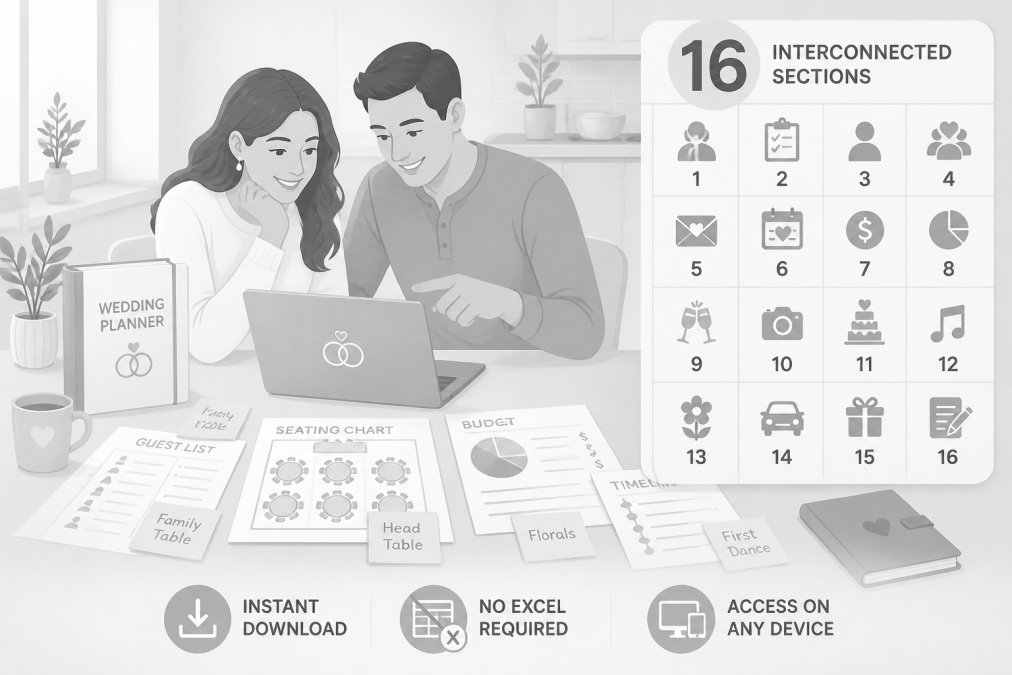
Most seating tools solve one problem: where does each guest sit. Ever After Suite solves the whole planning picture. Its 16 interconnected sections connect your guest list directly to your seating layout, budget tracker, vendor contacts, and wedding party duties. When a guest's RSVP status changes, you update it once and it flows through. No toggling between multiple documents.
The tool requires no app installation and works in your browser, so your fiancé can access the same file from their device without syncing issues or version conflicts.
What works: The seating section handles complex table configurations and large guest lists without performance issues. The one-time price of $21.99 is the most cost-effective option on this list.
What to know: Ever After Suite is a digital planning resource rather than a dedicated seating diagram software. If your primary need is an interactive 3D floor plan with CAD-level precision, a specialized tool like Allseated will go deeper. For couples who want everything organized in one place, this is the right call.
Pricing: $21.99 one-time purchase, instant download.
Pros:
- No app required; works on any device with a browser
- 16 connected sections cover guest lists, seating, budgets, vendor contacts, and more
- One-time purchase, no ongoing subscription fees
Cons:
- Not a dedicated seating diagram tool with 3D visualization
- Best suited for couples doing their own planning rather than professional event coordinators
2. SeatPlan.io, Best for AI Floor Plan Import
The most time-consuming part of building a seating chart for a large wedding is recreating your venue's floor plan from scratch inside a digital tool.
SeatPlan.io solves this with an AI-powered floor plan import feature that converts a photo or PDF of your venue layout into an editable, to-scale digital mockup. Upload the floor plan your venue coordinator sent you, and the tool traces it automatically. For a 200-person wedding across a complex ballroom layout, this feature alone can save several hours of manual work.
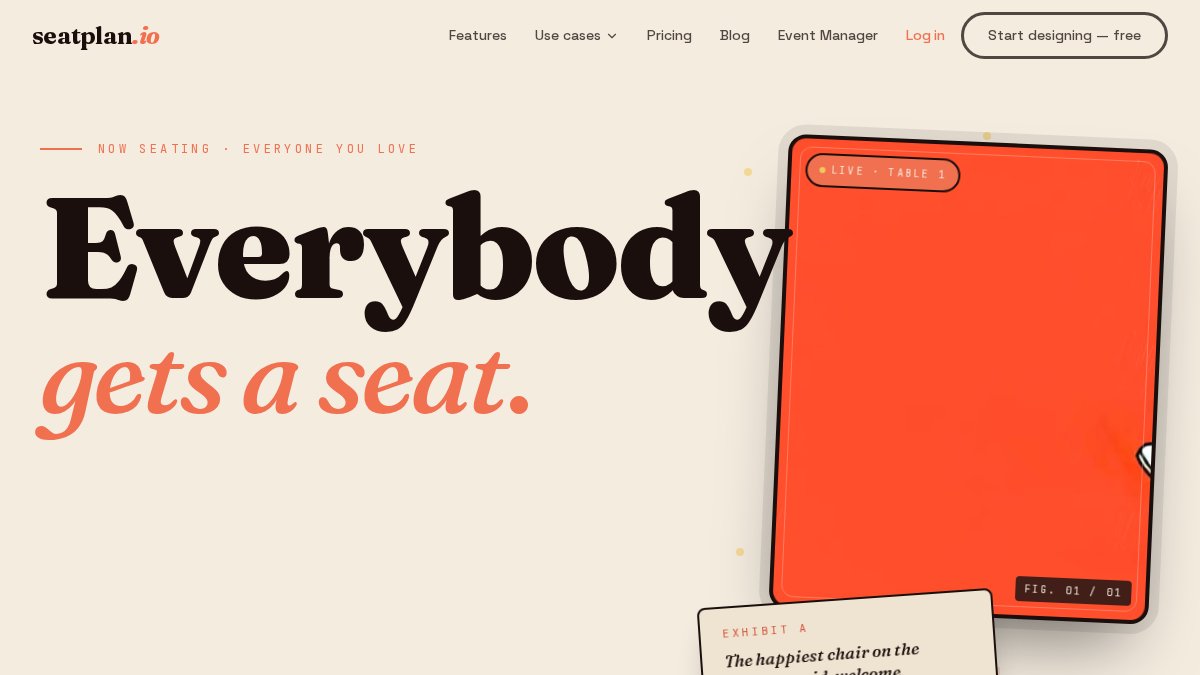
From there, the drag-and-drop interface handles round, rectangular, and custom table shapes. Guest list import via CSV brings your existing data in without manual re-entry. Real-time collaboration works by sharing a link.
What works: The AI floor plan import is genuinely useful. Browser-based access means no installation, and the free tier lets you design a full seating chart before committing to a paid plan.
What to know: The free tier limits you to one AI import. Saving and exporting your finished chart requires a one-time payment.
Pricing: Free to design; one-time payment to save and export.
Pros:
- AI import from venue photos or PDFs dramatically speeds up floor plan setup
- Real-time collaboration via shareable link
- Browser-based, works on any device
- Flexible pricing: free tier plus low-cost one-time save option
Cons:
- Free tier limits AI import to one use
- Professional tier requires a monthly subscription
3. PlanSeats, Best for Drag-and-Drop Simplicity
Not every couple needs AI floor plan import or 3D visualization. Sometimes you just need a clean, fast tool that lets you drag guest names onto tables without a learning curve.
PlanSeats delivers exactly that. The drag-and-drop interface is intuitive. Bulk CSV import handles large guest lists without manual entry. The auto-assign feature and seating rules are valuable for large weddings, rather than manually placing 200 guests one by one, you can set rules and let the tool generate a first draft.
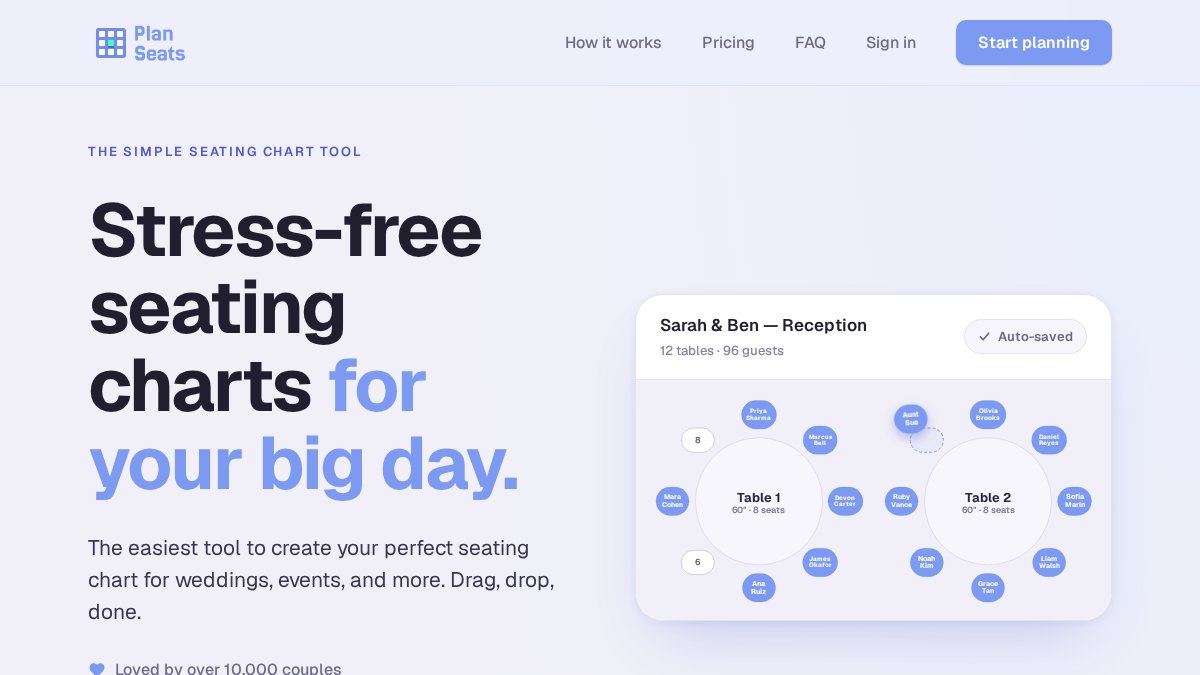
What works: The combination of seating rules, auto-assign, and clean drag-and-drop makes large guest counts manageable. Professional PDF exports are clean enough to hand directly to your venue or caterer.
What to know: There's no free tier for unlimited guests. The one-time purchase option ($50) covers a single event.
Pricing: $8.99/month or $50 one-time for a single event.
Pros:
- Intuitive drag-and-drop interface with low learning curve
- Bulk CSV import for large guest lists
- Auto-assign and seating rules reduce manual placement work
- Flexible pricing: monthly or one-time
Cons:
- No free tier for full functionality
- Monthly "Pro" plan required for unlimited events
4. PerfectTablePlan, Best for Offline Use and Large Guest Counts
Not everyone has reliable internet access when doing their deepest planning work. Couples who travel frequently, work from locations with spotty connectivity, or prefer not to depend on a cloud service will find every browser-based tool on this list frustrating at some point.
PerfectTablePlan is desktop software that installs on your computer and works completely offline. The software handles up to 4,000+ guests, the most capable option on this list for genuinely large events. Guest details, RSVPs, meal choices, and seating preferences are all managed within the same interface. Table shapes include round, rectangular, oval, and custom configurations. The automatic seating feature generates an initial arrangement; drag-and-drop lets you refine it.
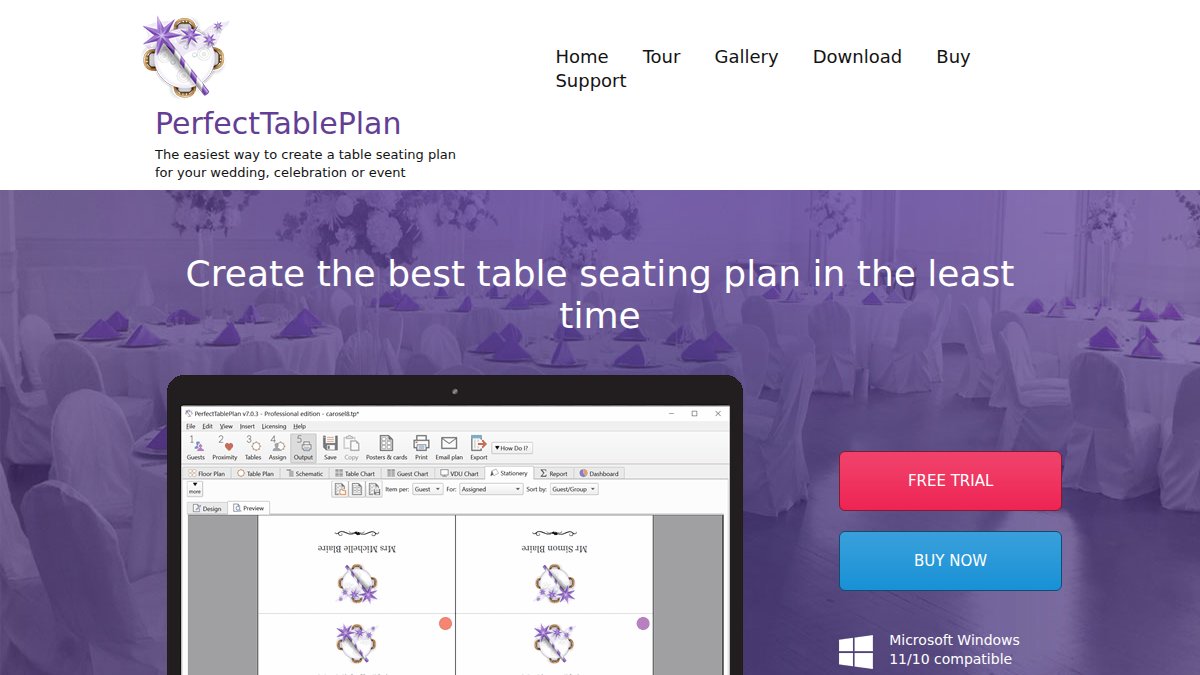
What works: Offline reliability, very large guest count support, and strong print/export options set this apart from every browser-based tool on the list. One-time purchase pricing with a 14-day money-back guarantee makes the financial risk low.
What to know: Collaboration requires emailing files back and forth. There's no real-time co-editing. Also, no AI floor plan import means you'll build your venue layout manually.
Pricing: $29.95 one-time purchase (14-day money-back guarantee).
Pros:
- Fully offline, no internet connection required
- Handles 4,000+ guests
- One-time purchase with money-back guarantee
- Strong print and export options for place cards and floor plans
Cons:
- Collaboration requires file sharing via email, not real-time co-editing
- No AI floor plan import; venue layout must be built manually
5. Allseated (Prismm), Best for Venue-Level Floor Plans
Allseated, now operating as Prismm and part of Cvent Event Diagramming, is the most technically sophisticated option on this list. It's built for professional event planners and venues.
The defining feature is 3D floor plan visualization with virtual walk-through capability. You can build a to-scale layout of your venue, place tables, and then view the room in 3D as if you're standing in it. Allseated/Prismm works with venue-provided CAD files for certain venue partnerships, meaning your floor plan can start from the actual architectural drawings of the space rather than a photo or manual recreation.
What works: 3D visualization, real-time multi-stakeholder collaboration, and venue CAD file integration make this the right choice for complex, professionally managed large receptions.
What to know: This tool is designed for professionals managing multiple events, and the pricing reflects that. The subscription model with a 12-month commitment makes it expensive for a single wedding.
Pricing: Free tier available; paid plans from $49/month (subscription, 12-month commitment).
Pros:
- Advanced 2D and 3D floor plan capabilities with virtual walk-throughs
- Real-time collaboration for planners, venues, and vendors
- Compatible with venue CAD files for precise layouts
Cons:
- Subscription model with 12-month commitment makes it expensive for a single event
- Complex interface, more than most couples need for a single wedding
Wedding Seating Chart Best Practices for Large Receptions
A well-executed wedding seating chart for a large reception follows a few principles that most guides skip over entirely.

Start with your constraints, not your preferences. Before you place a single guest, map out your venue capacity, table shapes and sizes, and any fixed elements (dance floor, DJ booth, bar, head table). According to Cornell University's hospitality research on event space planning, seating flow and traffic patterns around fixed venue elements directly affect guest experience throughout an event.
Build your seating chart in passes, not all at once. First pass: place guests who have clear requirements (accessibility needs, family groupings that must stay together, VIP tables near the head table). Second pass: fill in social groups and friend clusters. Third pass: handle the remaining guests and balance table counts. This approach prevents painting yourself into a corner with 15 guests left and no logical place to put them.
For a large wedding seating chart template, the most useful structure is a master table that lists every guest alongside their table assignment, meal preference, RSVP status, and any seating notes. This single document becomes your source of truth for the caterer, the venue coordinator, and your day-of timeline.
Handling Family Dynamics and Seating Conflicts
Family dynamics are the hardest part of any large wedding seating chart, and no software can make the decisions for you. What good tools do is make it easier to model different configurations quickly.
Create a "conflict list" before you start assigning seats. Note every pair or group that should not be seated near each other, then treat those constraints the same way you treat dietary restrictions: non-negotiable inputs. Tools with seating rules (PlanSeats) or tagging systems let you mark conflict groups and check your final arrangement against them. For tools without that feature, a simple secondary spreadsheet tracking your conflict pairs works fine as a manual check.
As noted in Psychology Today's research on family dynamics at social events, seating proximity at formal events can significantly affect interpersonal comfort levels, particularly among guests with prior conflicts. Give people enough physical and social distance to enjoy the reception.
Data Privacy and Guest List Security
Your wedding guest list contains real names, contact information, dietary restrictions, and sometimes accommodation details. That's personal data, and how you store it matters.
For cloud-based tools, the relevant questions are: where is your data stored, who has access to it, and what happens to it after your event. Most reputable platforms address this in their privacy policy. The Federal Trade Commission's guidance on data privacy for consumers recommends reviewing privacy policies before entering personal information into any online service.
Practical steps for protecting guest data:
- Use tools with clear privacy policies that specify data is not sold or shared with third parties.
- Limit access to your guest list file to yourself, your partner, and your wedding planner.
- Delete or archive your guest data after the wedding. Most couples don't need their guest list stored indefinitely in a cloud service.
- For offline tools like PerfectTablePlan, your data stays on your local device, removing cloud exposure but adding the responsibility of backing up your own files.
One underappreciated advantage of a one-time download tool like Ever After Suite is that your guest list data lives in your own file, on your own device, rather than on a third-party server. For couples who are cautious about data privacy, that's a meaningful difference from subscription-based platforms.
Frequently Asked Questions
What is the best way to organize a seating chart for a large wedding?
Start by grouping guests into categories: immediate family, extended family, close friends, work colleagues, and plus-ones. Assign tables by group first, then fill individual seats. Use a tool with CSV import so you can upload your guest list in bulk rather than entering names one by one. Build your floor plan early, lock the table configuration, and only adjust seat assignments as RSVPs come in. Finalizing the wedding seating chart two to three weeks before the event gives you enough buffer for last-minute changes.
How do you manage seating charts for weddings with over 200 guests?
At 200+ guests, manual methods break down fast. You need a tool that supports bulk CSV import for your guest database, drag-and-drop table assignment, and real-time updates when RSVPs change. Meal preference tracking becomes critical at this scale since caterers need accurate counts by table. Tools like PerfectTablePlan handle up to 4,000 guests, while SeatPlan.io uses AI to convert your venue floor plan from a PDF or photo into an editable, to-scale digital layout, which saves hours of manual setup.
Are there free online tools for wedding seating charts?
Yes, several tools offer free tiers. SeatPlan.io lets you design your seating arrangement for free, with a one-time fee to save and export. Allseated (now Prismm) and Aisle Planner both offer free access with limited features. PerfectTablePlan offers a 14-day free trial. Free tiers typically restrict guest counts, export options, or collaboration features, so couples planning large weddings often find a one-time purchase more practical than a monthly subscription.
What features should I look for in a wedding seating chart app?
Prioritize CSV import for bulk guest list upload, drag-and-drop seat assignment, and RSVP tracking with meal preference fields. For large venues, look for floor plan tools that support multiple table shapes and custom room layouts. Exportable files (PDF or Excel) matter for sharing with your venue and caterer. If you are planning with a partner or coordinator, real-time collaboration saves significant back-and-forth. For couples who want everything in one place, an all-in-one wedding planner that connects seating to your budget and vendor list avoids managing multiple apps.
How far in advance should you finalize a wedding seating chart?
Set your RSVP deadline at least four weeks before the wedding. Give yourself one to two weeks after that deadline to collect stragglers and finalize your guest count. Aim to lock the wedding seating chart two to three weeks before the event. This timeline gives your venue and caterer accurate table configurations and meal counts, and leaves you a short window to handle last-minute cancellations or additions without redoing the entire layout.
Choosing the right wedding seating chart tool comes down to what you're actually solving for. If your challenge is managing a large, complex guest list across all aspects of your planning, Ever After Suite brings your seating, guest list, budget, and vendor contacts into one organized system at a one-time price. Get started with Ever After Suite and have your seating chart, guest list, and full wedding plan organized in one place from day one.
This article was written using GrandRanker