
Table of Contents
- What a Simple Wedding Budget Tracker Template Actually Needs
- Wedding Budget Breakdown by Category
- How to Use Your Wedding Budget Tracker: Step-by-Step
- Free Wedding Budget Spreadsheet in Google Sheets: Pros, Limits, and a Better Option
- How to Stick to a Wedding Budget When Costs Keep Creeping Up
- Mobile-First Tracking, Payment App Integration, and Non-Traditional Weddings
- Post-Wedding Expense Reconciliation: Close Out Your Budget the Right Way
- Conclusion
Last Updated: August 5, 2026
What a Simple Wedding Budget Tracker Actually Needs
A simple wedding budget tracker is a structured planning document that captures every expense category, records estimated versus actual costs, and flags payment deadlines before they sneak up on you. Most couples start with a number in their head, then quotes arrive, the guest list grows, and suddenly nobody remembers what's been paid. A well-built wedding budget tracker solves this problem before it becomes a crisis.
Estimated Costs vs. Actual Expenses: Why Both Columns Matter
The most common mistake couples make is building a tracker with only one cost column. A functional wedding budget tracker needs two distinct columns for every line item: estimated cost and actual expense. The estimated column is your planning anchor; the actual column is what you really paid after the invoice clears. Keeping these separate lets you see at a glance where you're over budget and where you have room to absorb a surprise cost.
The gap between estimated and actual is where most wedding budgets collapse. Venue quotes often exclude service charges. Catering per-person costs don't always include cake cutting fees or bartender gratuity. A tracker that forces you to record both columns makes those gaps visible early, when you can still adjust.
Deposit Tracking and Payment Due Dates
Vendor payment schedules cause the most anxiety in wedding financial management, and it's almost entirely avoidable with a proper tracker. Every vendor contract has a deposit structure: typically an initial deposit to secure the date, followed by milestone payments, with the final balance due shortly before the wedding. Missing a deadline can mean losing your date or voiding a contract.
Your budget tracker needs a dedicated section for each vendor that records the deposit amount paid, the next payment due date, and the remaining balance. A simple payment schedule table should include: vendor name, total contracted amount, deposit paid and date, next payment amount, next payment due date, and final balance.
According to the American Institute of Certified Public Accountants' guidance on personal financial planning, tracking payment obligations by due date is one of the most effective ways individuals can avoid late fees and maintain cash flow during large planned expenditures.
Wedding Budget Breakdown by Category
A wedding budget breakdown by category is the foundation of any useful tracker. Without it, you're tracking a total number without understanding where the money is actually going.
| Category | Typical Budget Share | Notes |
|---|---|---|
| Venue rental | 25-30% | Often includes ceremony and reception |
| Catering and bar | 30-35% | Per-person cost x guest count |
| Photography and video | 10-12% | Separate photographers and videographers |
| Flowers and décor | 8-10% | Ceremony, reception, personal flowers |
| Music and entertainment | 5-8% | DJ, band, or ceremony musicians |
| Wedding attire | 5-8% | Dress, suit, alterations, accessories |
| Stationery and favors | 2-3% | Invitations, programs, place cards |
| Transportation | 2-3% | Shuttle, limo, getaway car |
| Officiant and ceremony fees | 1-2% | License, officiant, venue ceremony fee |
| Contingency fund | 5% | Non-negotiable, always include this |
These percentages are starting points, not rules. A couple hosting a 200-person reception will weight catering far more heavily than a couple doing an intimate dinner for 30.
Allocating Budget Percentages Across Vendors
Start with the non-negotiables: venue and catering together typically consume more than half your total budget because they're tied directly to guest count. Every additional guest adds per-person catering costs, potentially increases venue size requirements, and adds to floral and stationery line items. Guest count is the single most powerful lever in wedding financial planning.
Once venue and catering are locked, allocate to your personal priorities. If photography matters most to you, protect that budget line before anything else. The couples who stay on budget are the ones who make these decisions early and write them down.
Hidden Costs and the Contingency Fund
Hidden costs aren't really hidden; they're just not in the vendor quote. Common expenses that catch couples off guard include: venue cleaning fees, overtime charges, valet parking, vendor meal requirements, alterations, postage, tips for hair and makeup artists, and day-of coordination.
The contingency fund exists to absorb these. A 5% contingency on a $30,000 wedding is $1,500, enough to cover most surprises without derailing the whole plan. The contingency fund is not "extra money to spend." It stays untouched unless something unexpected forces you to use it.
According to the Consumer Financial Protection Bureau's guidance on budgeting for large purchases, building a buffer into any major planned expense is a core principle of sound financial management.
How to Use Your Wedding Budget Tracker: Step-by-Step
Setting up your wedding budget tracker correctly from the start saves hours of cleanup later.
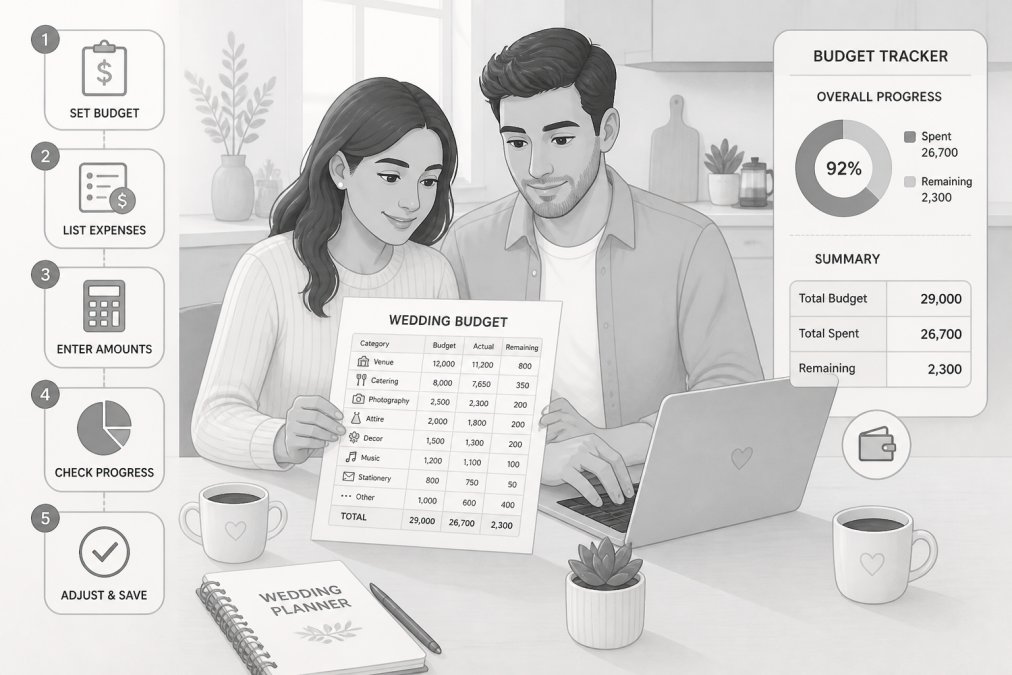
Step 1: Set your total budget before opening the tracker. [Time: 30 minutes] Have an honest conversation with your partner and any family members contributing funds. Write down the confirmed total. This number goes at the top of your tracker and does not change without a formal decision.
Step 2: List every category you'll need. [Time: 20 minutes] Use the category table above as your starting point. Add or remove categories to match your wedding style.
Step 3: Enter estimated costs for each line item. [Time: 45 minutes] Pull quotes from vendors you've already contacted. For categories you haven't researched yet, enter a placeholder based on your research.
Step 4: Add vendor payment details for every booked vendor. [Time: 20 minutes] For each confirmed vendor, record the deposit paid, the next payment due date, and the final balance. Set a calendar reminder for each due date.
Step 5: Update actual costs every time money moves. [Time: 5 minutes per update] Every payment, invoice, and unexpected charge goes into the actual column the same day. A tracker you update in real time is infinitely more useful than one you update monthly.
Step 6: Review your remaining balance weekly. [Time: 10 minutes] Check total estimated costs against your budget ceiling. Check upcoming payment due dates. Adjust where needed before you're forced to.
The Ever After Suite Digital Wedding Planner includes a pre-built budget section with all these fields already structured, plus 15 other interconnected planning sections. It's an instant download at $21.99 with no app or Excel required.

Free Wedding Budget Spreadsheet in Google Sheets: Pros, Limits, and a Better Option
A free wedding budget spreadsheet in Google Sheets is a legitimate starting point. Shared access, real-time collaborative editing, and zero cost make it attractive for couples who want to get organized quickly.
The practical limits show up fast. Google Sheets doesn't have a built-in wedding category structure, so every couple reinvents the same wheel. Conditional formatting for overdue payments requires formula knowledge most people don't have. The mobile experience for complex spreadsheets is frustrating.
The deeper problem is integration. Your guest list is somewhere else. Your seating chart is on paper or in another tab. Your vendor contacts are in your email. A free spreadsheet solves the budget column, but it doesn't connect to anything else.
What to look for in a better option: pre-built category structure, deposit and payment tracking built in, mobile-friendly layout, and connection to other planning sections.
The Ever After Suite Digital Wedding Planner addresses all of these. Its 16 interconnected sections mean your budget connects directly to your vendor contact list, your guest count feeds your per-person cost calculations, and everything lives in one place.
How to Stick to a Wedding Budget When Costs Keep Creeping Up
Budget creep doesn't happen in one dramatic moment; it happens in a hundred small upgrades, each of which seems reasonable on its own. The most effective defense is a rule: any change to the budget requires an explicit trade-off. If you want to add the photo booth, you identify which other line item absorbs the cost before you say yes.
Practical tactics that help:
- Lock your guest count early. Guest count drives venue size, catering cost, invitation quantity, and favor count.
- Get itemized quotes. A quote that says "photography: $3,500" tells you less than one that breaks down coverage hours, number of photographers, editing timeline, and what's excluded.
- Track vendor payments against your bank account. A payment that clears your account should appear in your tracker the same day.
- Revisit the contingency fund decision monthly. If you've already dipped into it, acknowledge that and decide whether to replenish it.
- Set a "no new vendor" date. At some point, adding vendors becomes a budget risk.
Mobile-First Tracking, Payment App Integration, and Non-Traditional Weddings
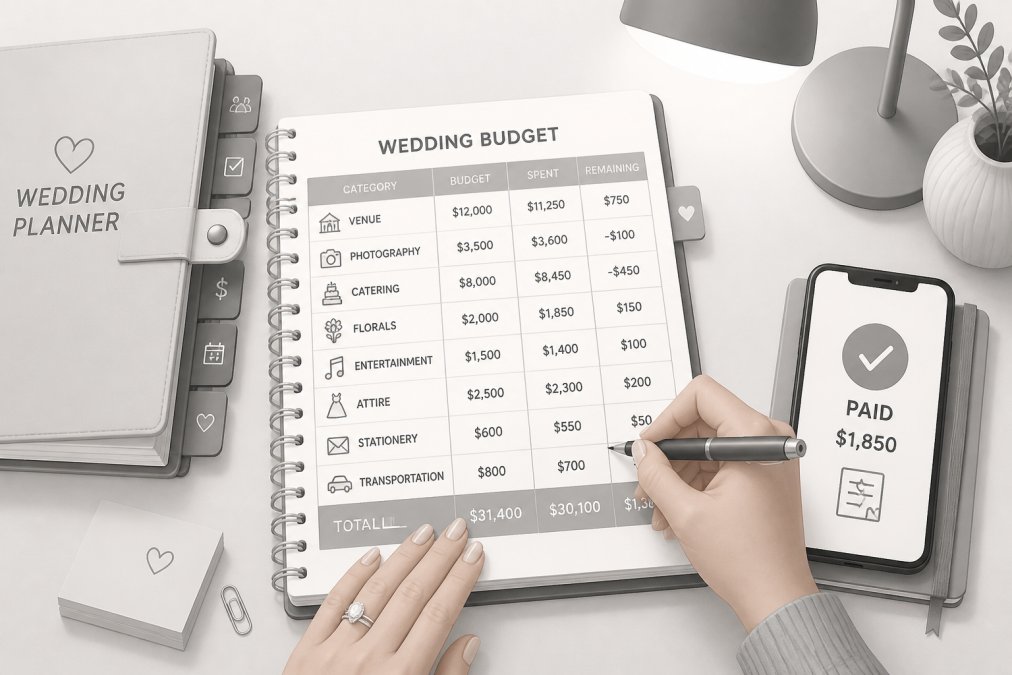
Wedding decisions happen everywhere: at a venue walk-through, during a tasting, in a parking lot after a florist meeting. A mobile-first approach means your tracker needs to be readable and editable on a phone without frustration. For Google Sheets users, this means simplifying your layout: fewer columns, larger text, and no merged cells that break on mobile.
Payment app integration is a practical upgrade most couples don't think about until they're already paying vendors. Build a habit of recording every payment app transaction in your tracker immediately after it clears.
Budgeting for non-traditional weddings requires a different category structure. Elopements need officiant travel fees and permit costs. Micro-weddings (under 30 guests) often have higher per-person catering costs and private dining room minimums. Destination weddings require group travel coordination and legal marriage requirements research.
According to the U.S. Travel Association's research on destination wedding travel spending, destination weddings represent a growing share of travel spending, with couples and guests collectively spending significantly more per event than local weddings.
Post-Wedding Expense Reconciliation: Close Out Your Budget the Right Way
Most couples close their wedding budget the moment the last vendor is paid. Post-wedding expense reconciliation is the process of comparing every actual expense against every estimated cost, identifying where you overspent and underspent, and documenting what you learned. It takes about two hours and it's worth doing.
Here's the process:
- Collect all final invoices and receipts. Check your email, payment apps, and bank statements.
- Reconcile against your tracker. Every line item should have a corresponding actual cost.
- Calculate total variance. Subtract total actual spend from your original budget.
- Identify the biggest variances by category. Which categories ran over? Which ran under?
- Check for outstanding vendor balances. Confirm that every vendor has received full payment.
- Document tips separately. Tips paid in cash on the wedding day should be recorded.
- File all contracts and final invoices. Keep digital copies for future reference or disputes.
| Reconciliation Step | Action | Why It Matters |
|---|---|---|
| Collect all receipts | Gather invoices, bank records, payment app history | Creates a complete expense record |
| Match to tracker | Compare each actual cost to the tracker entry | Surfaces missed or duplicate charges |
| Calculate variance | Total actual minus total budget | Confirms final financial position |
| Check open balances | Confirm zero balance with each vendor | Prevents surprise invoices |
| Document tips | Record cash tips paid on wedding day | Completes the full cost picture |
| File contracts | Save digital copies of all vendor agreements | Protects you if disputes arise |
Conclusion
Keeping a wedding budget on track is genuinely hard when vendor quotes are vague, payment schedules overlap, and every week brings a new upgrade offer. The couples who finish under budget aren't the ones with the most willpower; they're the ones with the clearest system. Ever After Suite's Digital Wedding Planner gives you that system in one instant download: a pre-built budget tracker connected to your guest list, vendor contacts, and timeline across 16 integrated sections, all for $21.99 with no app or Excel required. Get started with Ever After Suite and go into your wedding day knowing exactly where every dollar went.
Frequently Asked Questions
What should be included in a simple wedding budget tracker?
A solid wedding budget tracker needs columns for each vendor category, estimated costs, actual expenses, deposit amounts paid, remaining balances, and payment due dates. At minimum, cover venue rental, catering, photography, florals, attire, music, stationery, transportation, and a contingency fund of around 5-10% of your total budget. The cleaner the layout, the more likely you and your partner will actually use it consistently throughout your planning timeline.
Is it better to use a wedding budget app or a spreadsheet?
It depends on how you plan. Subscription-based apps add recurring costs and often lock features behind paywalls. A well-structured spreadsheet or digital planning template gives you full control, works offline, and costs nothing beyond the initial download. The wedding budget tracker inside Ever After Suite's digital planner ($21.99, one-time purchase) connects your budget to your guest list, vendor contacts, and timeline in one place, which most standalone spreadsheets cannot do.
What is the average wedding budget breakdown in the US?
Typical US wedding budgets allocate the largest share to the reception venue and catering, often 40-50% of the total. Photography and videography usually take 10-12%, florals and décor around 8-10%, music or entertainment 5-8%, attire 8-10%, and stationery plus miscellaneous items the remainder. These percentages shift based on guest count and region, so treat them as starting benchmarks rather than fixed rules when setting up your own budget breakdown by category.
How do I track wedding expenses without getting overwhelmed?
Start by entering every vendor estimate before you book anything, so you have a realistic total to compare against your actual expenses as contracts are signed. Update the tracker every time a deposit is paid or an invoice arrives. Checking it weekly takes less than five minutes once it's set up. Couples who review their remaining balance regularly are far less likely to hit surprise shortfalls close to the wedding date.
This article was written using GrandRanker