

Table of Contents
- Why Affordable Digital Wedding Planning Tools Matter
- Quick Comparison Table
- All-in-One Wedding Planner Download Options
- Wedding Budget Spreadsheet Template Solutions
- Digital Wedding Planning Checklist Tools
- Guest Management and Seating Chart Features
- How to Choose the Right Tool for Your Wedding
- Conclusion
Last Updated: August 19, 2026
Why Affordable Digital Wedding Planning Tools Matter
Planning a wedding involves coordinating dozens of moving pieces simultaneously. Your guest list grows. Budget categories multiply. Vendor contact information gets scattered across emails, text messages, and sticky notes. A seating chart that seemed simple becomes a puzzle when you factor in family dynamics and divorced relatives. Without a structured system, critical details slip through the cracks.
This is where affordable digital wedding planning tools come in. Rather than juggling spreadsheets, sticky notes, and multiple apps, couples benefit from consolidating everything into one organized space. Ever After Suite and similar tools eliminate the friction of managing your wedding across 14 different places, your guest list in Google Sheets, your budget in Excel, your seating chart on paper, your vendor contacts scattered in email drafts.


The real advantage isn't just convenience. It's control. When your entire wedding planning operation lives in one digital location, you can see the full picture instantly. You know exactly how much you've spent. You know who's confirmed. You know where Aunt Sarah is sitting and why. You can share access with your fiancé, parents, or wedding coordinator without creating version control chaos.
Many couples discover that the wrong tool choice creates more work, not less. A free platform with limited features forces workarounds. A subscription-based app with overwhelming complexity sits unused. An overly rigid template doesn't fit your specific needs. Choosing the right affordable digital wedding planning tool means selecting something that matches your wedding size, complexity level, and how you actually work.
Quick Comparison Table
| Tool Type | Best For | Key Strength | Pricing Model |
|---|---|---|---|
| All-in-one digital binder | Couples wanting complete organization in one place | Guest lists, budgets, seating, vendor contacts all integrated | One-time purchase ($20-30) |
| Budget spreadsheet template | DIY couples comfortable with spreadsheets | Detailed expense tracking and category customization | One-time purchase ($15-25) |
| Checklist tool | Couples who need task management and timelines | Visual progress tracking and deadline reminders | One-time purchase ($10-20) |
| Seating chart software | Weddings with complex guest dynamics | Visual drag-and-drop interface with relationship mapping | One-time purchase ($15-30) |
All-in-One Wedding Planner Download Options
An all-in-one wedding planner download consolidates every element of your wedding planning into a single, organized system. Unlike apps that require subscriptions and ongoing logins, a downloadable planner gives you immediate access to everything you need without monthly fees or account management.
Ever After Suite's Digital Wedding Planner represents this category at its strongest. This browser-based application contains 16 interconnected sections covering guest lists, seating charts, budgets, vendor contact management, bridal party duties, and wedding day timelines. Because it's a single HTML file, it works offline, no internet connection required. You download it once for $21.99 and own it permanently. No subscription. No app store. No syncing issues.
The architecture matters here. Traditional spreadsheets force you to jump between tabs and manually update information in multiple places. Ever After Suite's sections connect to each other. When you add a guest to your list, that person becomes available in your seating chart. When you assign vendor payments, they automatically factor into your budget totals. This interconnection eliminates data entry duplication and reduces errors.
What works particularly well: the vendor contact section keeps phone numbers, email addresses, payment terms, and timeline notes in one place. Your wedding day binder section pulls together the final timeline, vendor contacts, and bridal party responsibilities in a format you can print and hand to your wedding coordinator. This hybrid approach, digital organization with printable day-of materials, solves the real problem most couples face: planning happens digitally, but execution happens on paper.
The limitation to understand: because it's a downloaded file, syncing between your phone and your fiancé's device requires manual updates. If your fiancé updates the guest list on their laptop, those changes don't automatically appear on your phone. You need to re-download the updated file. For couples who work closely together and update information in batches, this works fine. For couples who make constant small changes throughout the day, a cloud-based app might feel smoother.
Wedding Budget Spreadsheet Template Solutions
A wedding budget spreadsheet template gives you complete control over expense categories and financial tracking. Unlike rigid budget tools that force you into preset categories, a template-based approach lets you customize every line item to match your specific wedding.
The advantage is flexibility. Your wedding might prioritize photography and videography. Another couple's priorities might be catering and venue. A template approach accommodates both without forcing unnecessary categories. You can create subcategories for items that matter to you and skip sections that don't apply.
Quality wedding budget templates include built-in formulas that automatically calculate totals, percentages of overall budget, and spending status against your target. This means you enter amounts once and the math updates instantly. Better templates include a payment tracker showing which vendors have been paid, which are pending, and which require final payments before the wedding.
The practical workflow: download the template, fill in your expected costs for each category, and track actual spending as you sign contracts and make deposits. The template shows you instantly whether you're on budget or if you need to adjust plans. Many couples print the budget summary page monthly to review progress with their fiancé.
The limitation: spreadsheet templates require discipline. If you don't update them consistently, the information becomes stale and unreliable. Additionally, spreadsheets don't provide the contextual information that a full planning tool offers, you lose track of which vendor charges correspond to which line item without manual notation.
Digital Wedding Planning Checklist Tools
A digital wedding planning checklist transforms the overwhelming task of wedding planning into manageable, trackable steps. Rather than keeping a mental list of what needs to happen when, a checklist tool provides structure and visibility into your progress.
The best checklist tools for weddings include timeline guidance. They tell you not just what needs to be done, but when. For example: "Book photographer" appears on the checklist with a recommended completion date of 9-12 months before the wedding. This removes the guesswork about timing. You know that booking the venue should happen early, but when exactly? A good checklist specifies this.
Task assignments matter for couples dividing responsibilities. One person handles vendor communication. The other manages the guest list. A checklist tool that lets you assign tasks to "Bride," "Groom," or "Both" prevents duplicate work and ensures nothing falls through the cracks. You can see at a glance what your fiancé needs to complete and what's still on your plate.
Progress visualization keeps motivation high. Checking off 47 completed tasks out of 120 total gives you concrete evidence of progress. Wedding planning can feel endless until you see the checklist filling up. This psychological benefit is real, couples report feeling more in control and less overwhelmed when they can see tangible progress.
Digital checklists also solve the timing problem that paper checklists create. A printed checklist becomes outdated as your timeline shifts. A digital version updates in real-time. If you push your wedding date back by a month, your checklist automatically adjusts the timing recommendations for remaining tasks.
The trade-off: a checklist tool alone doesn't organize your wedding data. It tells you to "finalize seating chart," but it doesn't help you create the seating chart. For that, you need additional tools. Many couples use a checklist for timeline management and a separate tool for the actual planning details.
Guest Management and Seating Chart Features
Managing your guest list involves far more than a simple name list. You need to track RSVPs, dietary restrictions, plus-one information, table assignments, and contact details. A seating chart requires understanding relationships, avoiding conflicts, and balancing table dynamics.
Dedicated guest management systems handle this complexity. The core function is straightforward: create a list of invited guests and track their RSVP status. But useful tools go further. They track meal selections, dietary restrictions, and special accommodations. They let you note relationships ("Sarah and Michael are divorced, don't seat together"). They organize guests by side of the family or friend group.
Seating chart software specifically addresses the puzzle of table assignments. Rather than drawing circles on paper and moving names around, digital seating tools let you drag and drop guests between tables. You can see the full table at a glance. You can note why certain people are seated together ("College friends," "Work colleagues"). You can identify potential conflicts before the wedding day.
The best seating tools include visual relationship mapping. You can mark that Sarah and Michael shouldn't sit together, that Aunt Jane needs to be near her hearing-aid batteries charger, that your college friends group wants one table. The software can either help you manually arrange tables or suggest arrangements based on your preferences.
For complex weddings, 200+ guests, multiple family branches, divorced parents, blended families, a dedicated seating tool saves hours of manual work. For smaller, simpler weddings, a spreadsheet with careful notes might suffice.
How to Choose the Right Tool for Your Wedding
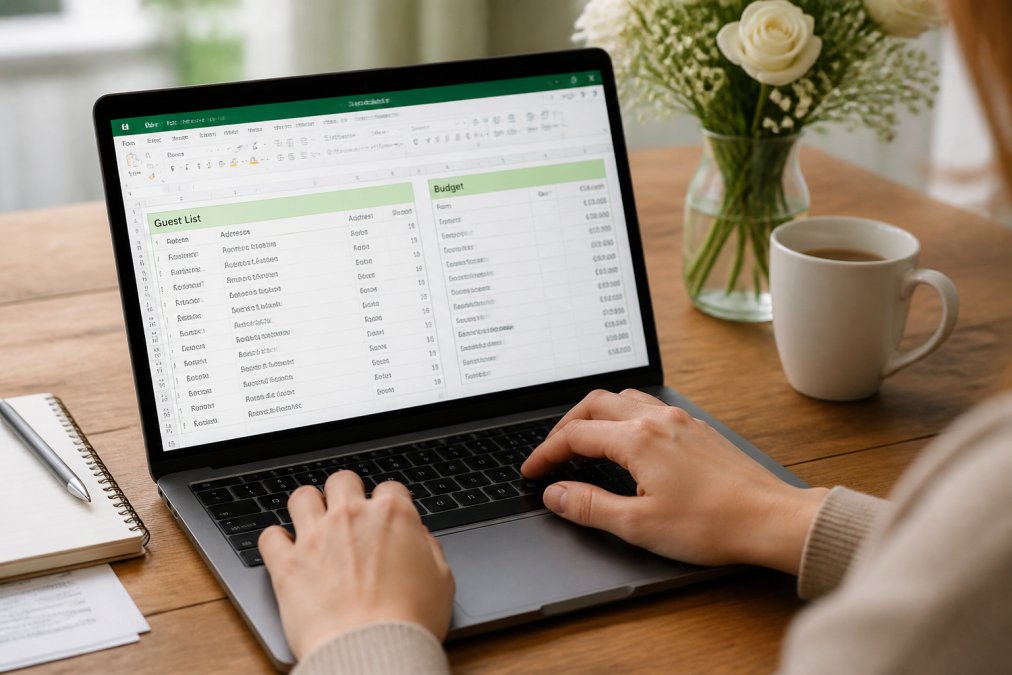
Selecting the right affordable digital wedding planning tool depends on understanding your specific needs and constraints. Not every tool works for every wedding. The best choice for a 50-person backyard wedding differs from the best choice for a 250-person formal event.
Start by assessing your wedding's complexity. How many guests? How many vendors? How many people need access to planning information? A simple elopement with 20 guests needs a different tool than a multi-day destination wedding with 300 people. The complexity level determines which features matter most.
Next, evaluate your comfort level with technology. Do you want a single downloadable file you own permanently, or do you prefer cloud-based tools that sync automatically? Are you comfortable with spreadsheets, or do you need a visual interface? Would you rather have one comprehensive tool or multiple specialized tools? Your technology preferences matter more than expert recommendations.
Budget is another practical constraint. Most affordable digital wedding planning tools cost between $15-30 as a one-time purchase. Some couples prefer spending $30 once over spending $10 per month for 12 months. Others prefer the flexibility of monthly subscriptions where they only pay while actively planning. Determine your budget philosophy before evaluating options.
Consider how you and your fiancé work together. Do you need real-time syncing between devices, or are you comfortable with periodic manual updates? Will one person primarily manage planning, or will you share responsibility equally? Some tools excel at collaborative planning; others work better for individual use with occasional sharing.
Finally, think about what happens after the wedding. Do you want to keep your wedding planning file as a keepsake? Do you want vendor information and timelines for future reference? Some tools are designed to be archived; others are meant to be deleted after the wedding.
The decision framework: prioritize your top 3 needs, then find the tool that best addresses those specific needs. The perfect tool doesn't exist. The right tool is the one that solves your actual problems without adding complexity.
Conclusion
Affordable digital wedding planning tools eliminate the chaos of managing your wedding across multiple systems. Whether you choose an all-in-one planner like Ever After Suite's Digital Wedding Planner ($21.99), a budget spreadsheet template, or specialized tools for specific tasks, the key is selecting something that matches your wedding's complexity and your working style.
Ever After Suite's solution stands out because it integrates guest lists, budgets, seating charts, and vendor management into one organized system with 16 interconnected sections, no subscriptions, no app downloads, just immediate access to everything you need. The one-time purchase model means you own your planning data permanently and can access it offline whenever you need it. Get started with Ever After Suite and transform your wedding planning from overwhelming to organized.
Frequently Asked Questions
What is the best affordable digital wedding planning tool?
The best tool depends on your priorities. If you need an all-in-one wedding planner download with no subscriptions, Ever After Suite offers a complete digital solution for $21.99. For couples wanting a comprehensive checklist and budget tracking in one place, a digital wedding planning checklist tool eliminates switching between multiple apps. Look for features like guest list management, budget tracking, seating chart creation, and vendor communication in a single platform.
Is a wedding budget spreadsheet template enough for planning?
A wedding budget spreadsheet template handles expense tracking, but it often lacks integrated guest management, seating charts, and timeline coordination. Many couples start with spreadsheets but switch to dedicated tools when they need to track RSVPs, manage vendor contacts, and coordinate with their fiancé simultaneously. A wedding budget spreadsheet template works best as part of a larger system rather than standalone.
Can digital wedding planning tools handle complex seating arrangements?
Yes, affordable digital tools now include sophisticated seating chart software that manages family dynamics, dietary restrictions, and guest preferences. Most platforms let you drag-and-drop guests between tables, track plus-ones, and note special seating requirements. If you're planning a 200-person wedding with complex logistics, ensure your chosen tool has interactive seating features and supports detailed guest notes.
How do I migrate my guest list from a spreadsheet to a digital tool?
Most affordable digital wedding planning tools accept CSV imports or copy-paste functionality. The setup time typically ranges from 15 minutes for small guest lists to 1-2 hours for 200+ guests. Many tools include templates that match standard spreadsheet formats, making migration straightforward. Check whether your chosen platform offers guest list import before purchasing to ensure compatibility with your existing data.
What's the difference between free and paid digital wedding planning tools?
Free tools often have limited features, ads, or require ongoing subscriptions. Paid affordable options like Ever After Suite ($21.99 one-time) offer comprehensive features without recurring costs or feature restrictions. The trade-off: free tools may lack offline accessibility, advanced seating chart functionality, or vendor management features. For serious planning, a one-time affordable purchase typically provides better value than managing multiple free platforms.
This article was written using GrandRanker